Change your WordPress admin email
Update the email WordPress sends account and site notices to.
Before you start
You need WordPress admin access for the site.
This only changes the admin email inside WordPress. It doesn't change your 1ClickWebsite login or billing email. To change where form submissions go, use Set up contact form emails.
Good to know: this one is done in WordPress, because the Website Agent can't install plugins. For edits to your pages, text or design, ask the agent instead.
Change the admin email
-
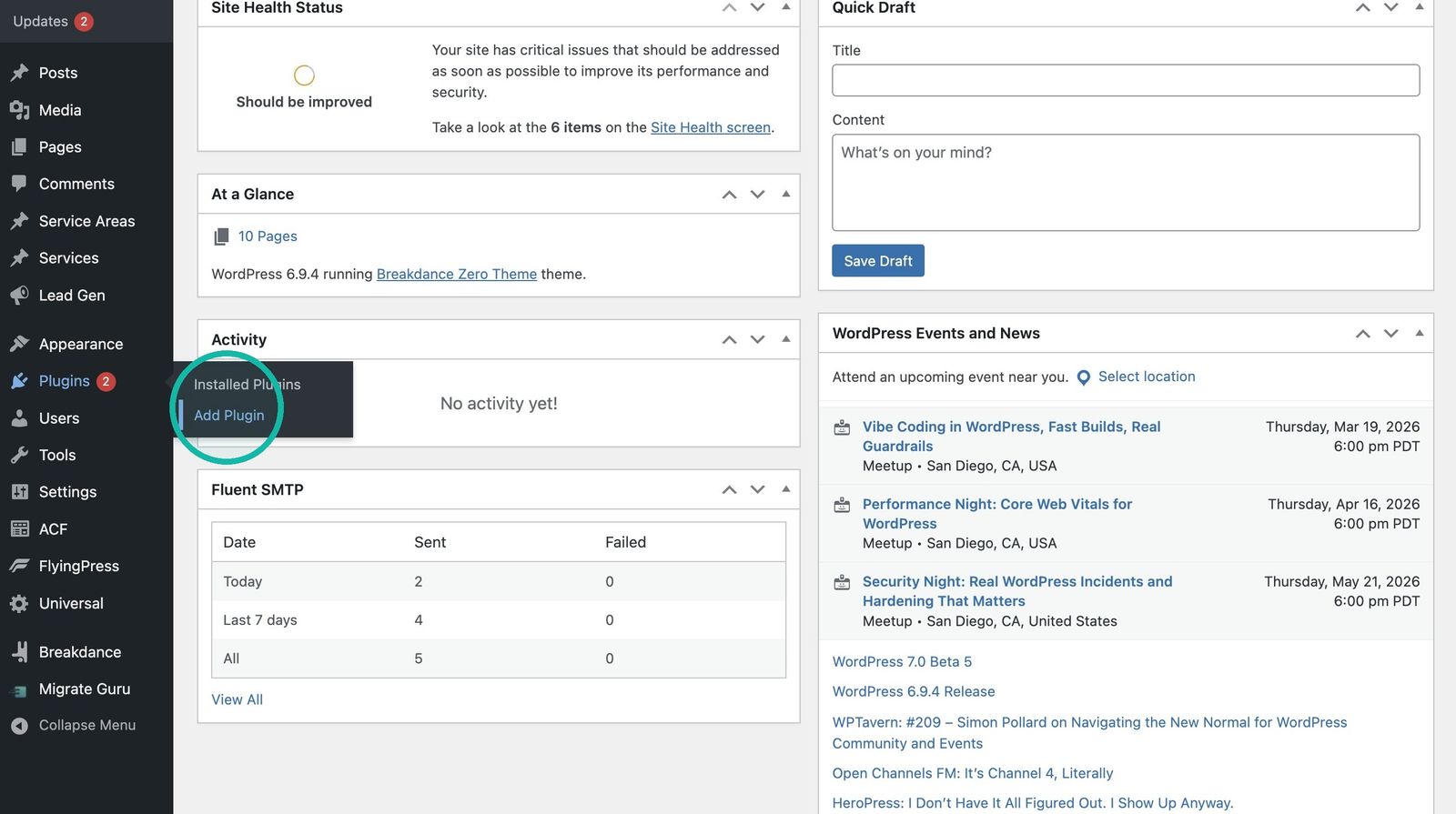
Open the plugin installer Log in to WP Admin, then go to Plugins > Add Plugin.
-
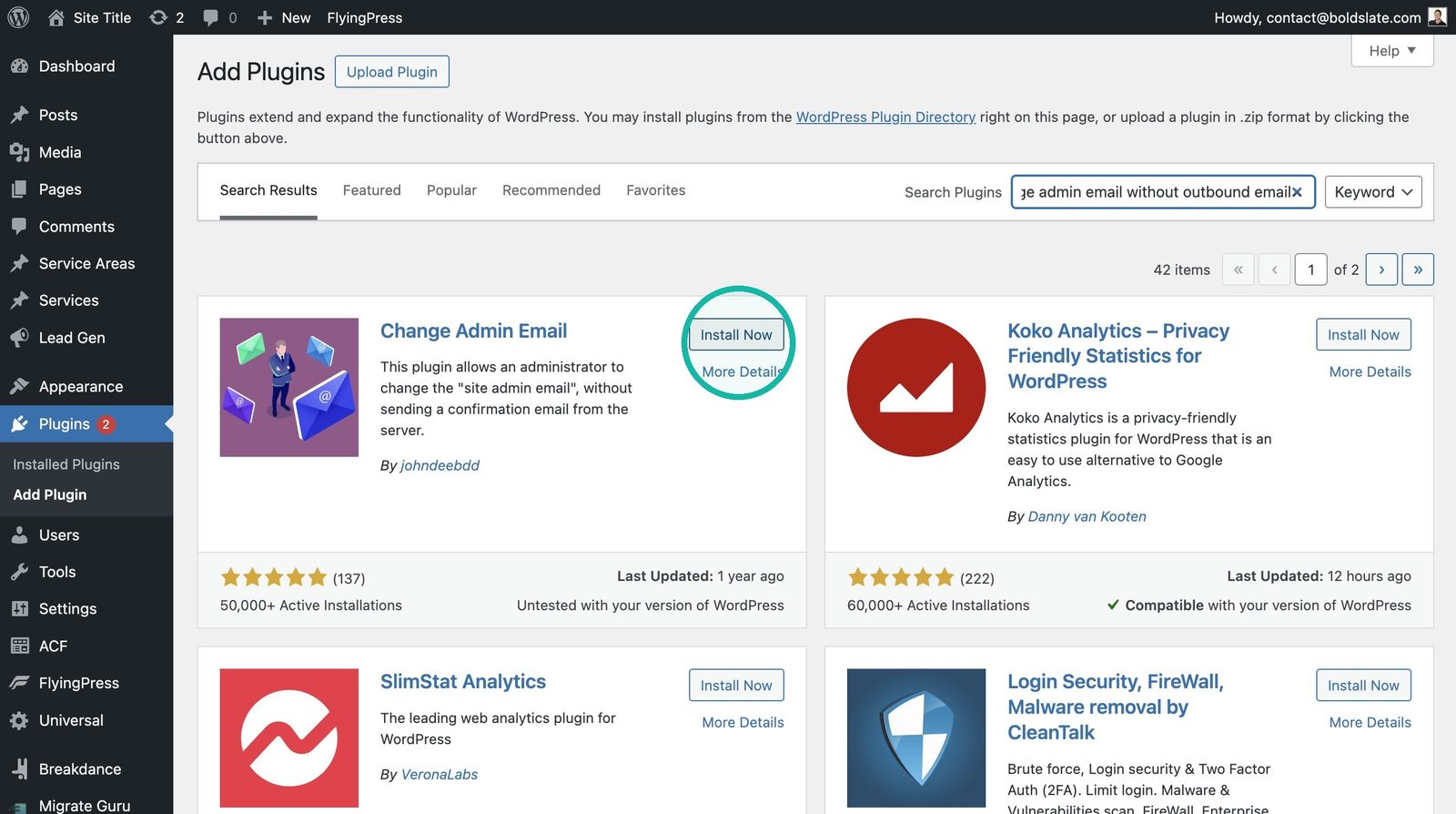
Install the helper plugin Search for Change Admin Email Without Outbound Email and install the Change Admin Email plugin.
-
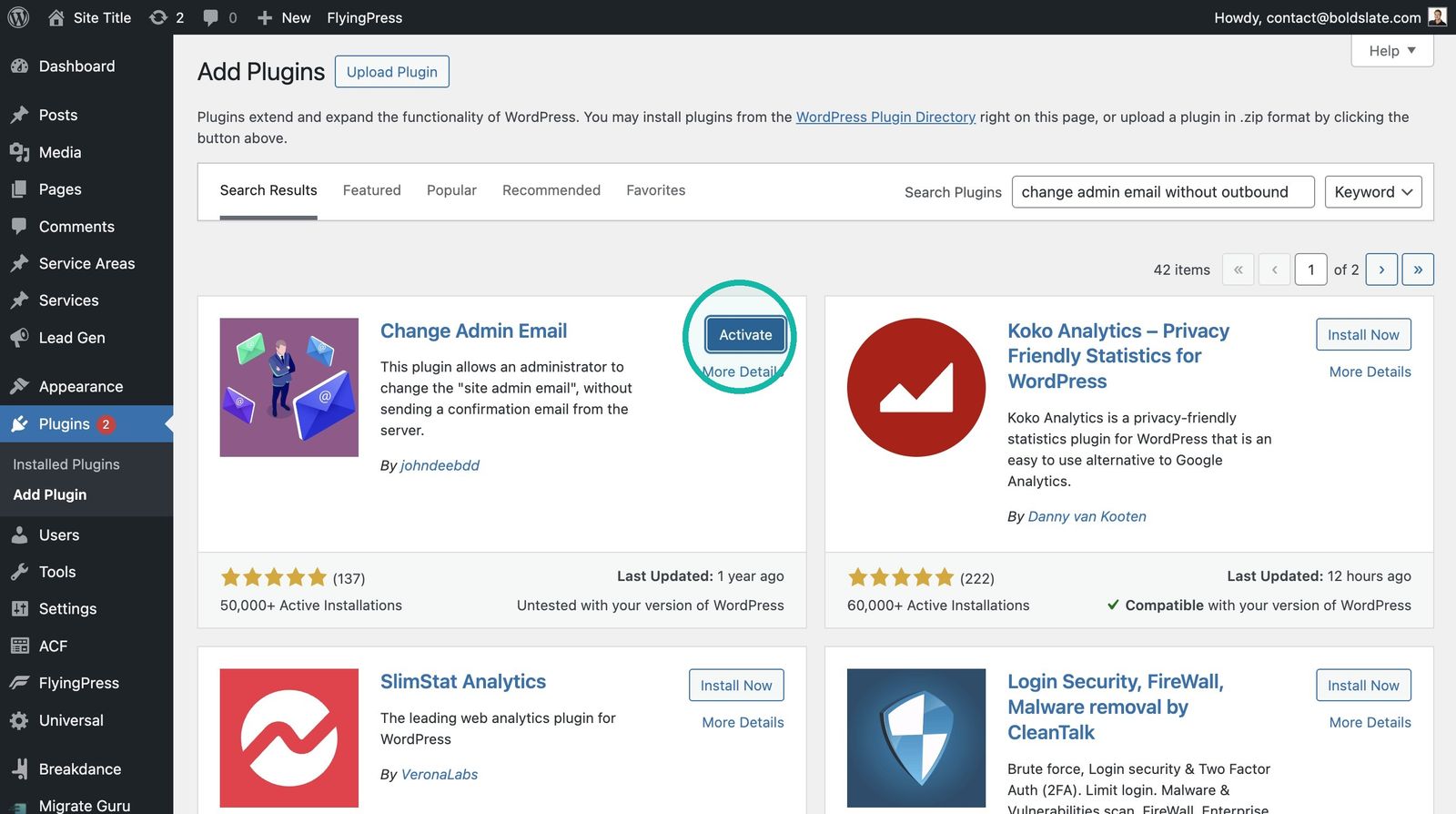
Activate it Click Activate.
-
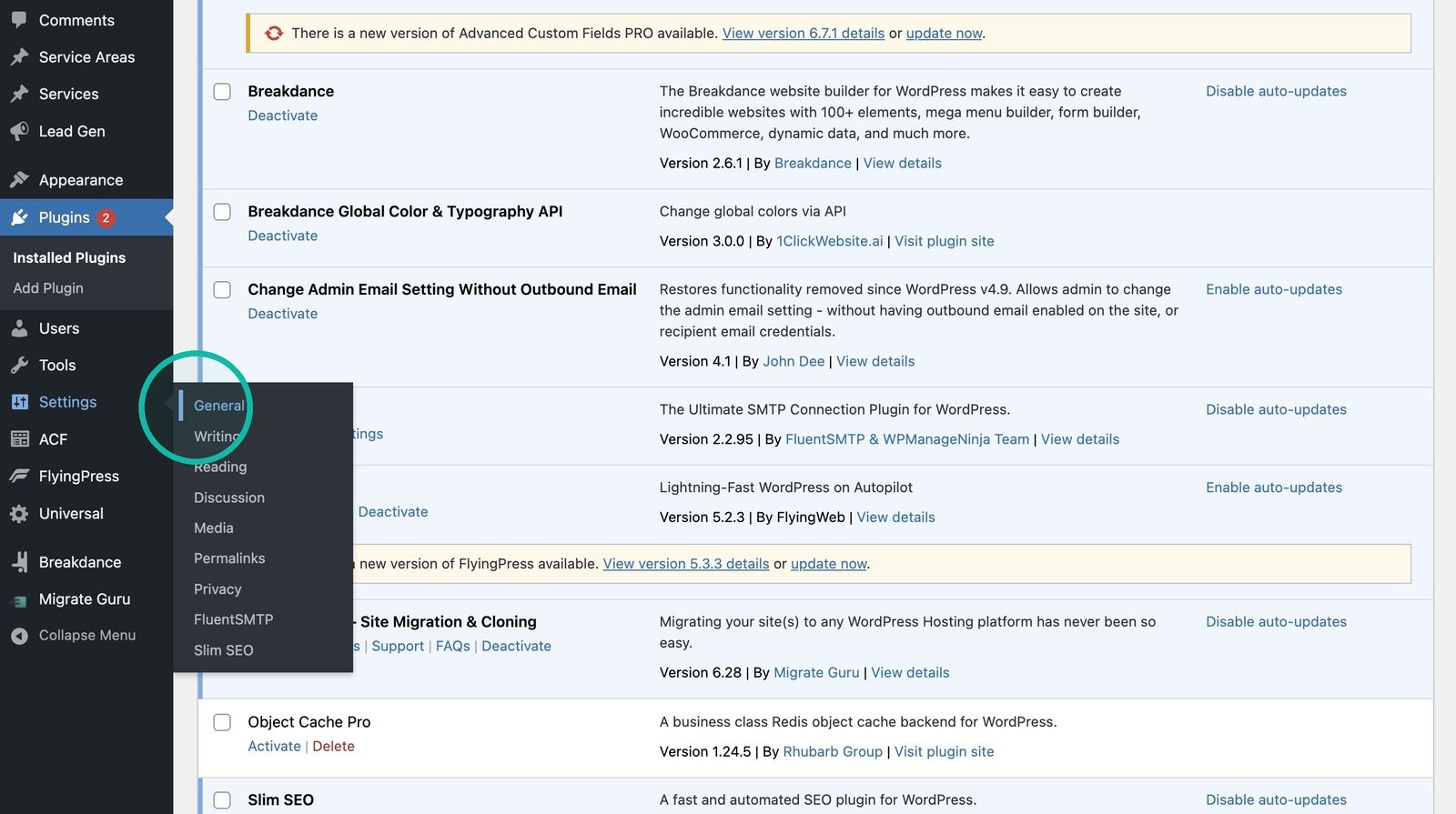
Open General settings Go to Settings > General.
-
Enter the new email Change Administration Email Address to the email you want.
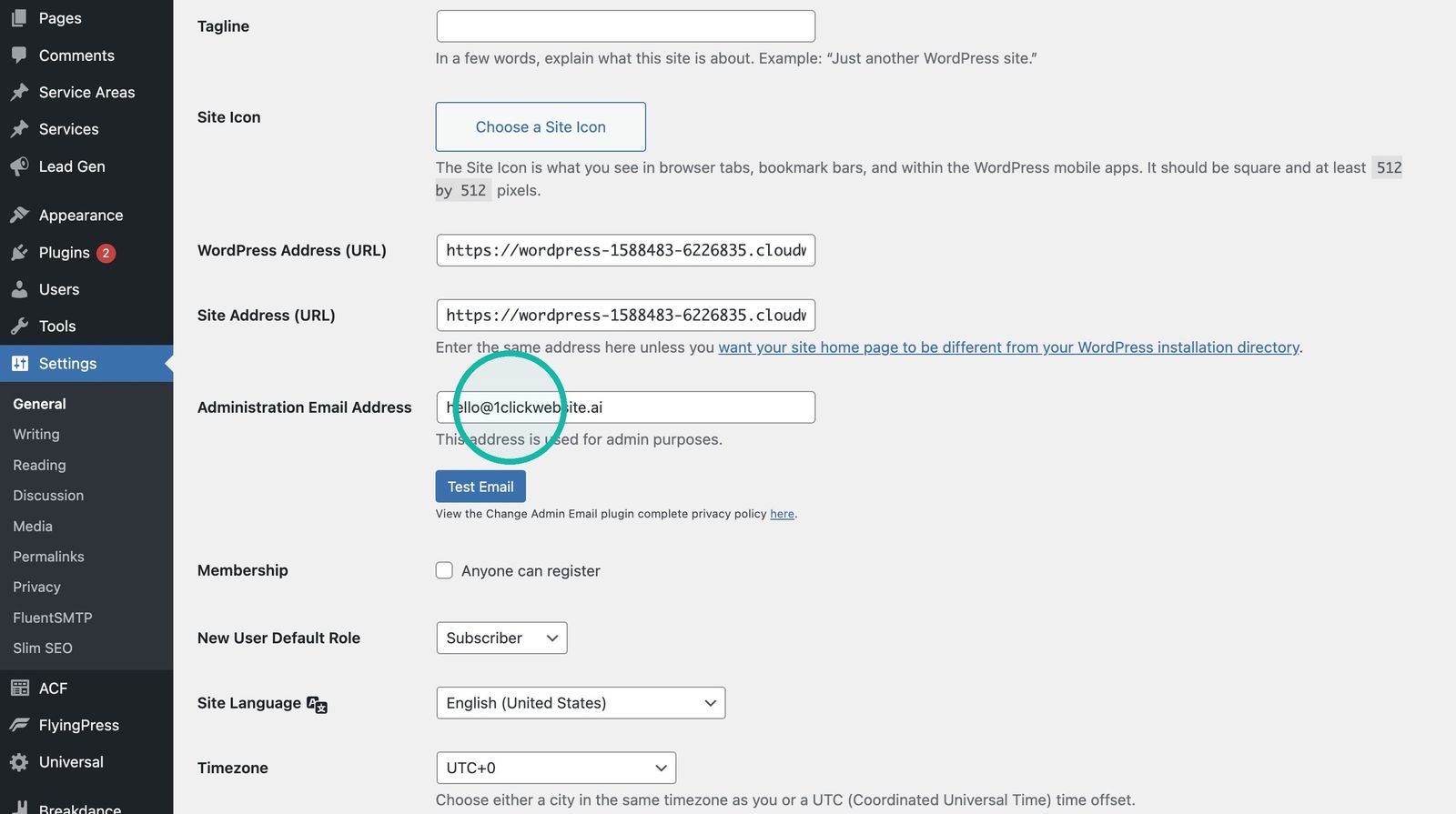
-
Save Click Save Changes.
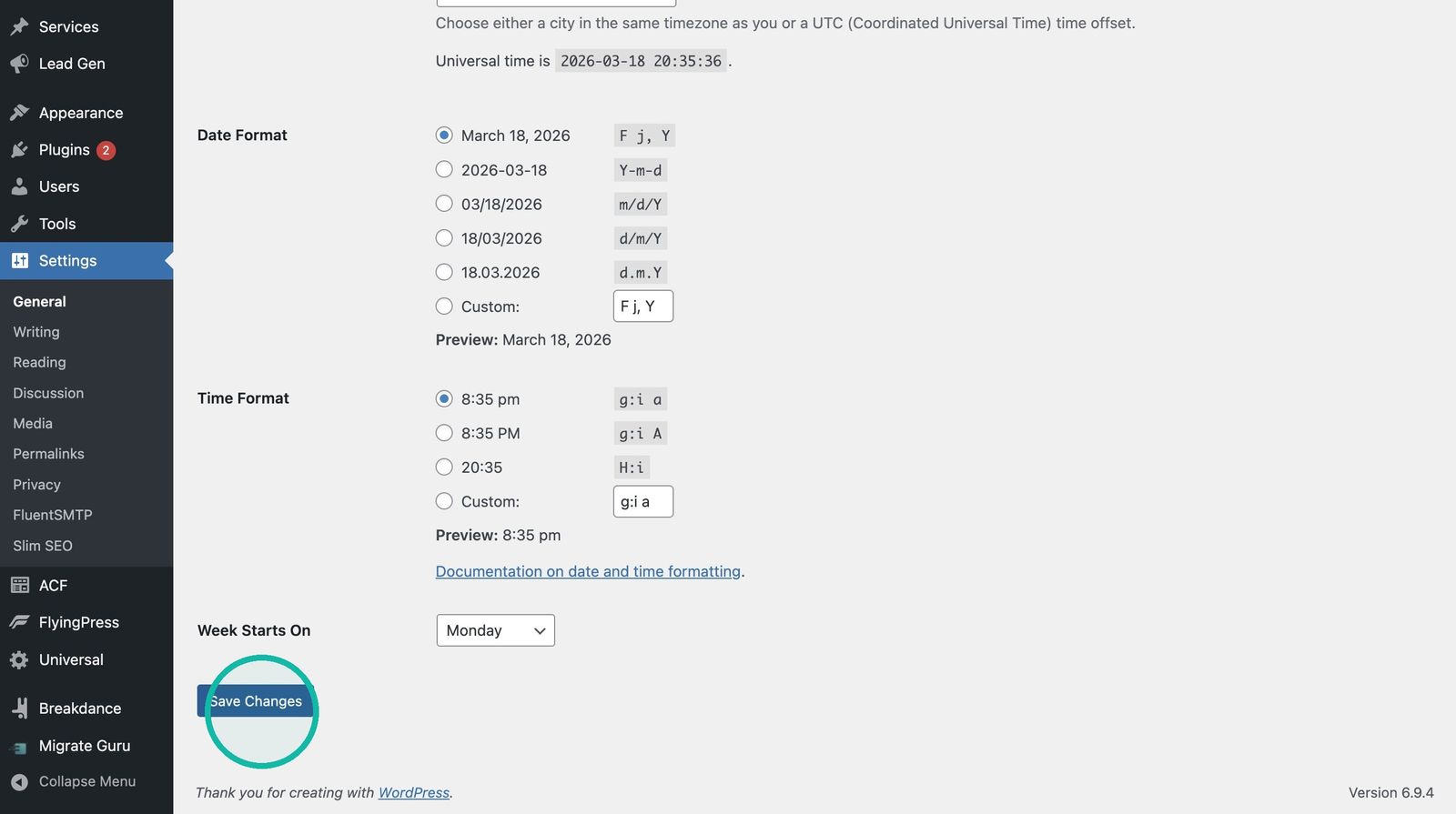
Good to know: the plugin lets you change the email right away, without waiting for a confirmation email.
Troubleshooting
- Email didn't change: reopen Settings > General and check the field shows the new address.
- Can't get into WordPress admin: chat with us and include your site URL.
Still stuck?
Chat with us and we'll reply right here, usually in a few minutes.